
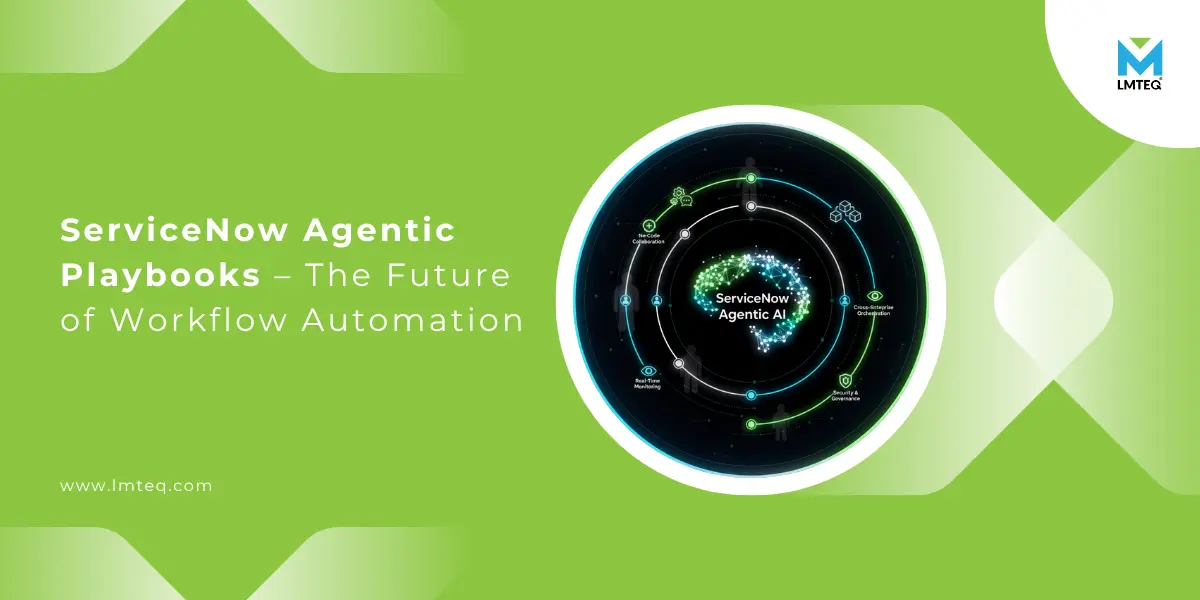
Automation has always been at the heart of digital transformation, yet 70% of enterprise workflows still rely on manual coordination between departments (source: McKinsey). Even organizations running advanced ITSM or CRM platforms often face bottlenecks where automation stops and human decision-making begins.
That’s exactly where ServiceNow Agentic Playbooks, introduced in the Zurich release, bring a game-changing approach. They combine human judgment with AI agents that can act, learn, and adapt to different business contexts.
In this guide, we’ll break down what Agentic Playbooks are, how they work step-by-step, and how your enterprise can practically implement them. Whether you’re a ServiceNow beginner or exploring the Zurich release for the first time, this blog will make the concept simple and actionable.
Understanding ServiceNow Agentic Playbooks
Imagine your team has to handle a complex IT issue that jumps between systems — monitoring tools, ticketing platforms, and team approvals. Traditional automation can’t always handle that because it follows rigid “if-this-then-that” rules.
ServiceNow Agentic Playbooks fix this by introducing ServiceNow Agentic AI — a layer of smart automation that doesn’t just follow a fixed script but reasons through each step.
In simple terms, an Agentic Playbook is a guided, visual workflow that blends :-
- AI agents that perform repetitive or rule-based actions, and
- Humans who intervene when a task needs oversight or judgment.
These Playbooks turn complicated, cross-department processes into step-by-step flows that AI and people can manage together, all within the familiar ServiceNow workflow automation interface.
Quick Note :- What Are AI Agents? AI agents in ServiceNow are autonomous digital workers that can interpret data, trigger workflows, and perform actions across applications — all while learning from context. You can create and manage them in ServiceNow AI Agent Studio, where each agent is trained to execute specific tasks such as triaging incidents or updating customer records.
Key Features and Benefits of Agentic Playbooks
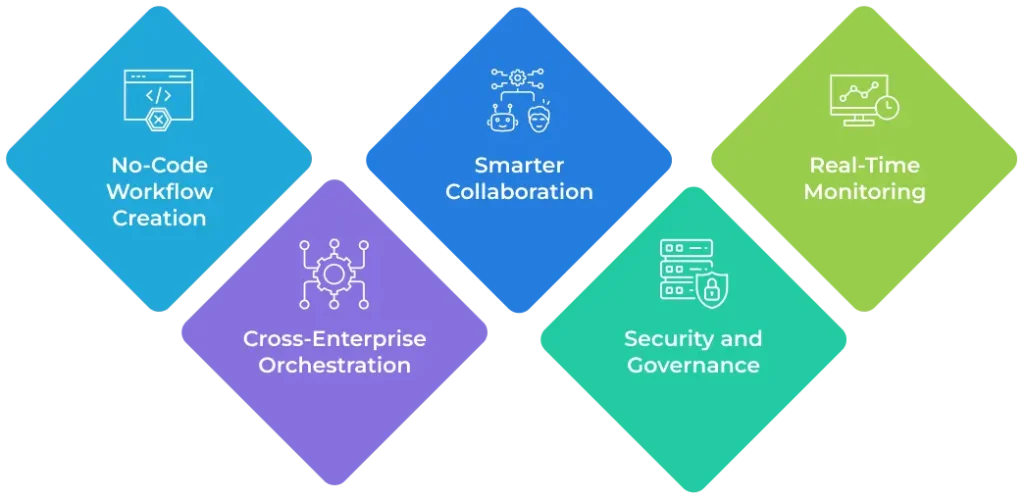
- No-Code Workflow Creation :- Build and manage end-to-end processes without writing a single line of code using the ServiceNow Process Automation Designer.
- Smarter Collaboration :- Define clear hand-off points between AI and human agents to ensure transparency and accountability.
- Real-Time Monitoring :- Track the performance of AI-driven activities, monitor live progress, and get notifications for exceptions or escalations.
- Cross-Enterprise Orchestration :- Connect multiple systems — ITSM, CRM, HRSD — and let agents act across them for seamless process execution.
- Security and Governance :- Every Playbook runs inside ServiceNow’s Trust Layer, ensuring guardrails, role-based access, and explainability for every AI decision.
Step-by-Step Example – Agentic Playbook for IT Incident Response
This expanded guide walks you through building, testing, and running an Agentic Playbook that detects outages, diagnoses issues, executes safe remediation, and hands off to humans when needed. Short paragraphs, practical tips, and clear checkpoints make it easy for a fresher to follow.
Prerequisites (quick checklist)
- ServiceNow Zurich release with Process Automation Designer enabled.
- Access to AI Agent Studio and Now Assist for Platform AI agent roles.
- Integrations with monitoring tools (Prometheus, Nagios, Datadog, etc.) and collaboration tools (Slack/Teams).
- A small knowledge base of common incidents and runbooks.
- Test environment (sub-prod) with realistic alerts.
Phase 1 - Design (Map the flow)
- Define the trigger
- Decide what starts the playbook: a monitoring alert, a user report, or a threshold breach.
- Note required data: metric name, severity, affected asset IDs, timestamps.
- Quick Tip: start with a single, high-impact alert (e.g., “database down”) to keep scope tight.
- Draw the visual flow
- Use Process Automation Designer to sketch steps: Detect → Create → Triage → Remediate → Monitor → Postmortem.
- Identify where AI can act (data enrichment, triage, remediation) and where humans must approve.
- Pro Note – Label each hand-off clearly — who gets notified and what decision they must make.
- List inputs and outputs for each step
- For each node, document required fields (logs, runbook id, asset owner) and expected outputs (ticket created, action executed, status updated).
- This keeps agents deterministic and easier to test.
Phase 2 - Build the AI Agent (AI Agent Studio)
- Create a new agent profile
- Define the agent’s purpose (e.g., “Initial Triage Agent”) and scope (read logs, enrich incident, suggest remedy).
- Attach training data: KB articles, past incident records, common error signatures.
- Train for intent and context
- Provide sample incident descriptions and correct triage outcomes.
- Test the agent’s reasoning on 10–20 historical incidents. Measure accuracy and refine.
- Set confidence thresholds & action rules
- Configure a confidence score cutoff for autonomous actions (e.g., >85% → auto-remediate; 60–85% → suggest; <60% → escalate to human).
- Quick Tip: keep initial thresholds conservative to avoid risky automation.
Phase 3 - Configure Playbook Steps (Process Automation Designer)
- Map agent steps to Playbook activities
- Assign the trained AI agent to the triage and remediation nodes.
- Configure human approval nodes where the agent’s confidence is below the threshold.
- Implement guardrails and approvals
- Add pre-action checks (is this asset marked critical? Is the maintenance window active?).
- Require multi-approval for high-impact actions (restart production databases, rollbacks).
- Integrate external systems
- Link to CMDB for asset context, to monitoring for alerts, and to orchestration tools for remediation scripts.
- Ensure the agent can post updates to Slack/Teams and update the ServiceNow incident record.
Phase 4 - Test, Validate, and Harden
- Run dry-run simulations
- Use a replay of previous incidents in a sandbox and observe agent decisions.
- Validate logs, notifications, and ticket fields.
- Create negative and edge-case tests
- Test incomplete data, conflicting telemetry, and noisy alerts. Confirm the agent escalates gracefully.
- Pro Note: include network partition scenarios — ensure Playbook can fail-safe (pause and notify humans).
- Review explainability and auditing
- Make sure each automated action has an audit trail: timestamp, agent ID, confidence score, and inputs used.
- Set up a drift detection job to notify admins if agent behavior changes over time.
Phase 5 — Rollout and Operate
- Pilot with a small production blast radius
- Start with low-impact systems or a single business unit. Monitor metrics for 2–4 weeks.
- Quick Tip: Keep human-in-the-loop for the pilot to build trust.
- Measure KPIs & iterate
- Track resolution time, manual escalations, failed automations, and false positives.
- Aim for steady improvements: fewer escalations, faster mean time to repair (MTTR), and cleaner incident records.
- Gradual scale and governance
- Expand to additional services once confidence grows. Maintain a governance board to approve new automated actions.
- Regularly update the KB and retrain agents with new incidents.
Safety, Security & Governance (non-negotiables)
- Role-based access for who can change Playbooks or approve agent actions.
- Action rollback capability for automated changes.
- Explainability hooks so humans can see why the agent chose a particular remediation.
- Drift monitoring and periodic retraining schedules.
Quick Checklist Before Going Live
- Playbook design reviewed by IT ops and security.
- Agent tested on 20+ past incidents with acceptable accuracy.
- Guardrails and approvals configured.
- Audit and logging enabled.
- Pilot plan and KPIs defined.
Suggested Initial KPIs to Track
- MTTR (mean time to repair) change.
- % incidents auto-resolved by agents.
- Number of escalations to human engineers.
- Number of erroneous auto-actions (false positives).
- Time saved per incident (manual effort reduced).
Final Quick Tips
- Start small. Automate low-risk, high-frequency tasks first.
- Document everything: flows, inputs, approvals, and agent training data.
- Keep humans in the loop until you build trust; conservative automation wins.
- Treat Playbooks as living documents: update KB and retrain agents regularly.
More Real-World Use Cases
Here are other areas where Agentic automation in ServiceNow is driving measurable impact :-
| Use Case | How Agentic Playbook Helps | Outcome |
|---|---|---|
| Customer Support | AI agents auto-triage tickets and offer pre-approved solutions | 50% faster ticket closure |
| HR Onboarding | Automates employee setup, approvals, and workspace provisioning | Reduced manual errors |
| Procurement Approvals | Agents validate vendor records and trigger finance workflows | Improved compliance |
| Change Management | AI analyzes dependencies before deployment | Fewer service interruptions |
| Finance Operations | AI automates invoice verification and approvals | Faster reconciliation |
These examples highlight how ServiceNow automation, powered by Agentic Playbooks can scale across multiple domains without complex configuration.
Why Agentic Playbooks Matter for Enterprises
The future of enterprise automation lies in adaptability – not just automation for its own sake. ServiceNow Agentic Playbooks are different because they blend structured workflows with intelligent reasoning. They enable dynamic decisions, continuous learning, and collaboration between humans and machines in real-time.
For organizations already using the ServiceNow Zurich release, these Playbooks unlock
- End-to-end automation across departments
- Smarter exception handling
- Greater visibility through unified dashboards
Ultimately, this means your teams can focus on strategy while AI handles the heavy lifting.
Also Reads :-
Frequently Asked Questions (FAQs)
1. Can I create custom AI agents inside ServiceNow?
Yes. You can use ServiceNow AI Agent Studio to design and train custom agents tailored to your processes. Each agent can be assigned to a specific Playbook step, ensuring consistent execution.
2. What roles do I need to manage Agentic Playbooks?
Administrators need the Now Assist for Platform AI agents role to configure, monitor, and manage AI-driven activities within Playbooks. Runtime users must have appropriate permissions for task execution and monitoring.
3. Are Agentic Playbooks available for all ServiceNow applications?
Currently, they’re part of the Zurich release and integrate seamlessly with ITSM, CSM, and HRSD modules. ServiceNow continues expanding compatibility in upcoming releases.
Conclusion
ServiceNow Agentic Playbooks mark a turning point in workflow automation. By uniting AI-driven reasoning with human oversight, they redefine how enterprises design, manage, and optimize digital operations.
Whether it’s IT incident response, HR onboarding, or procurement automation, these Playbooks deliver faster outcomes and sharper insights — without losing the human touch.